Chilavu, start to settle-up
Every screen below comes from the live app at app.chilavubook.com, driven by five demo accounts. Follow the steps under each picture to try the same thing on your own phone.
The cast
All names, amounts and notes are made up for this demo. Account numbers are not secret in Chilavu: they are how people find each other, the way a phone number is. The recovery phrase and the invite code are covered in the pictures, because those are the two things that should never be shared.
Getting started
No email and no password. The account is a number the server issues and twelve words that only you hold.
Make an account
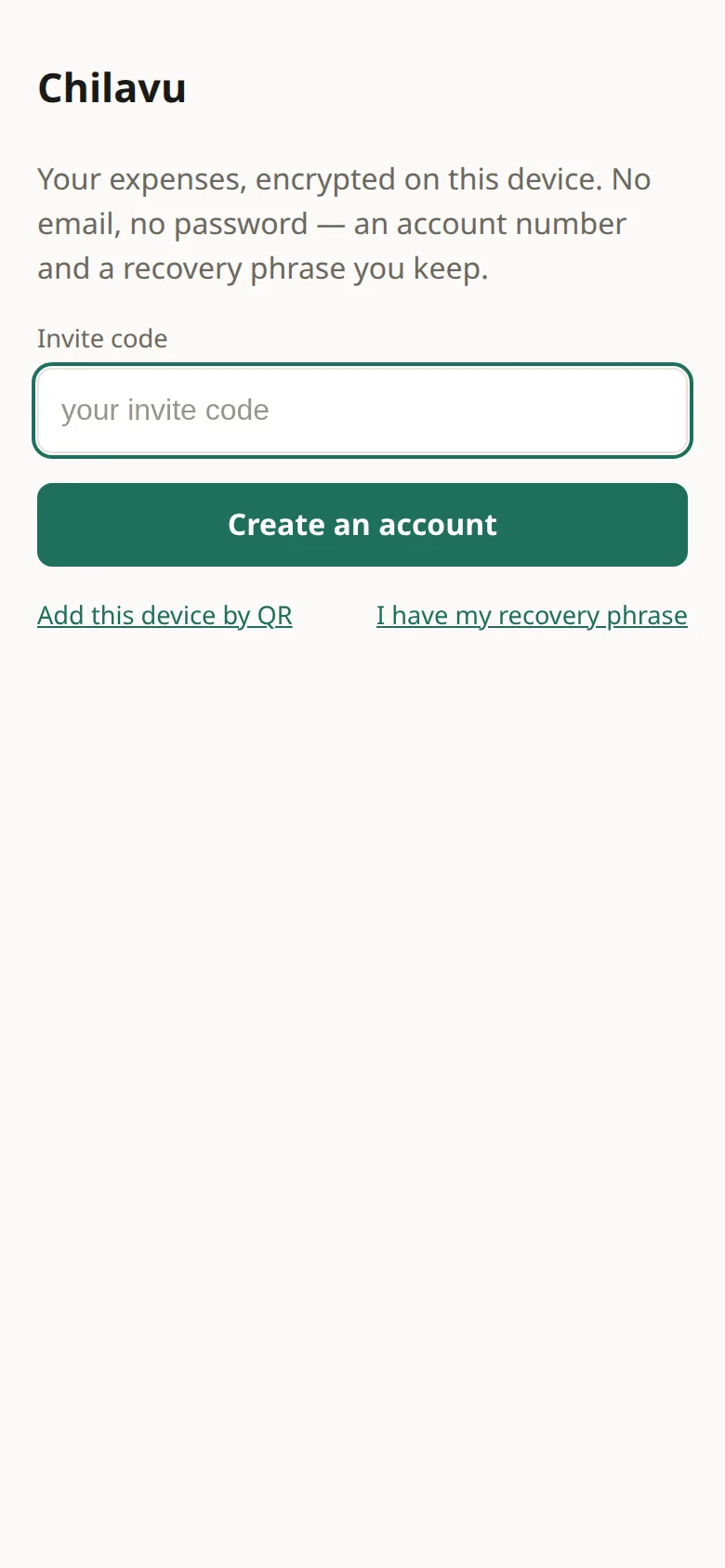
- Open app.chilavubook.com, type your invite code, and tap Create an account.
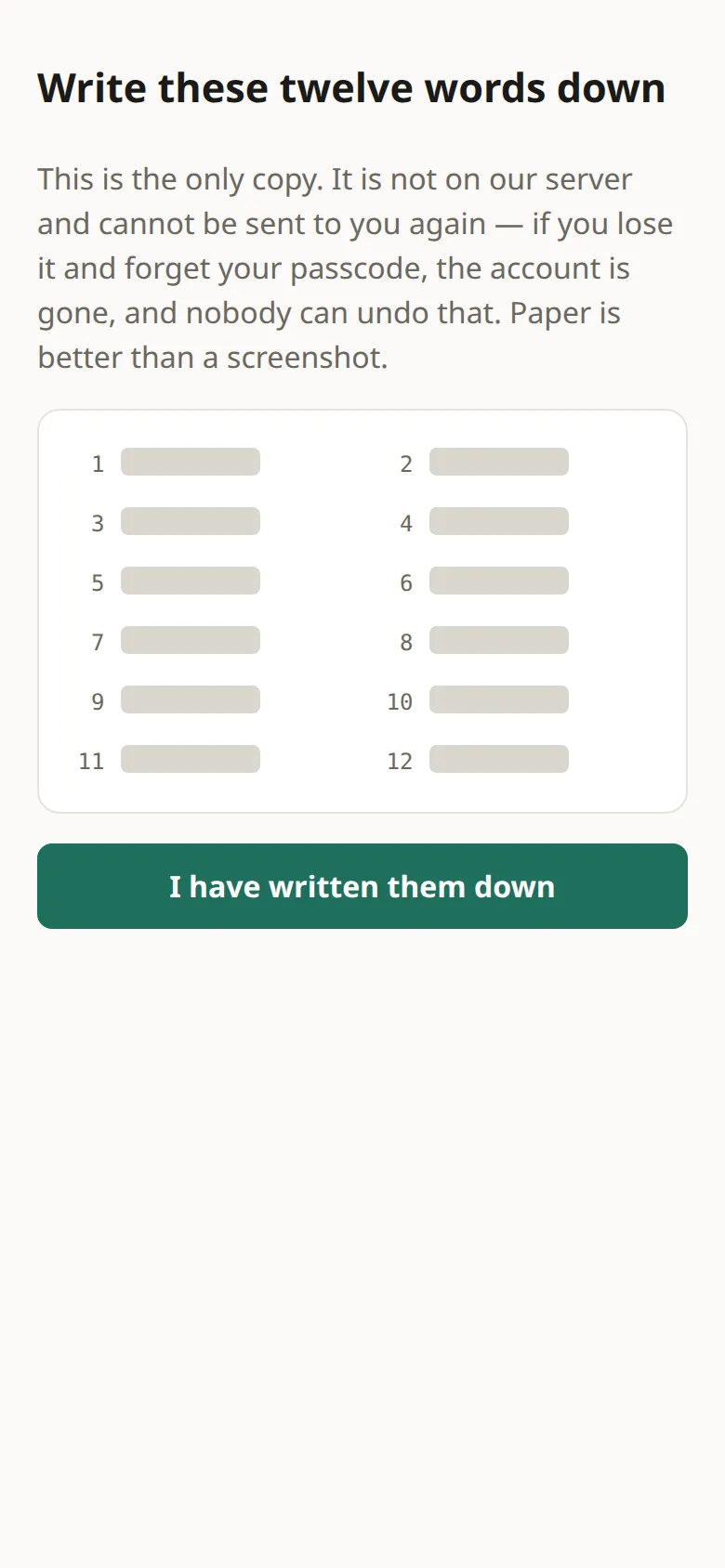
- Write the twelve words on paper. Then type back the three words the app asks for.
- Choose a passcode for this device. It locks the words on this device and never leaves it.
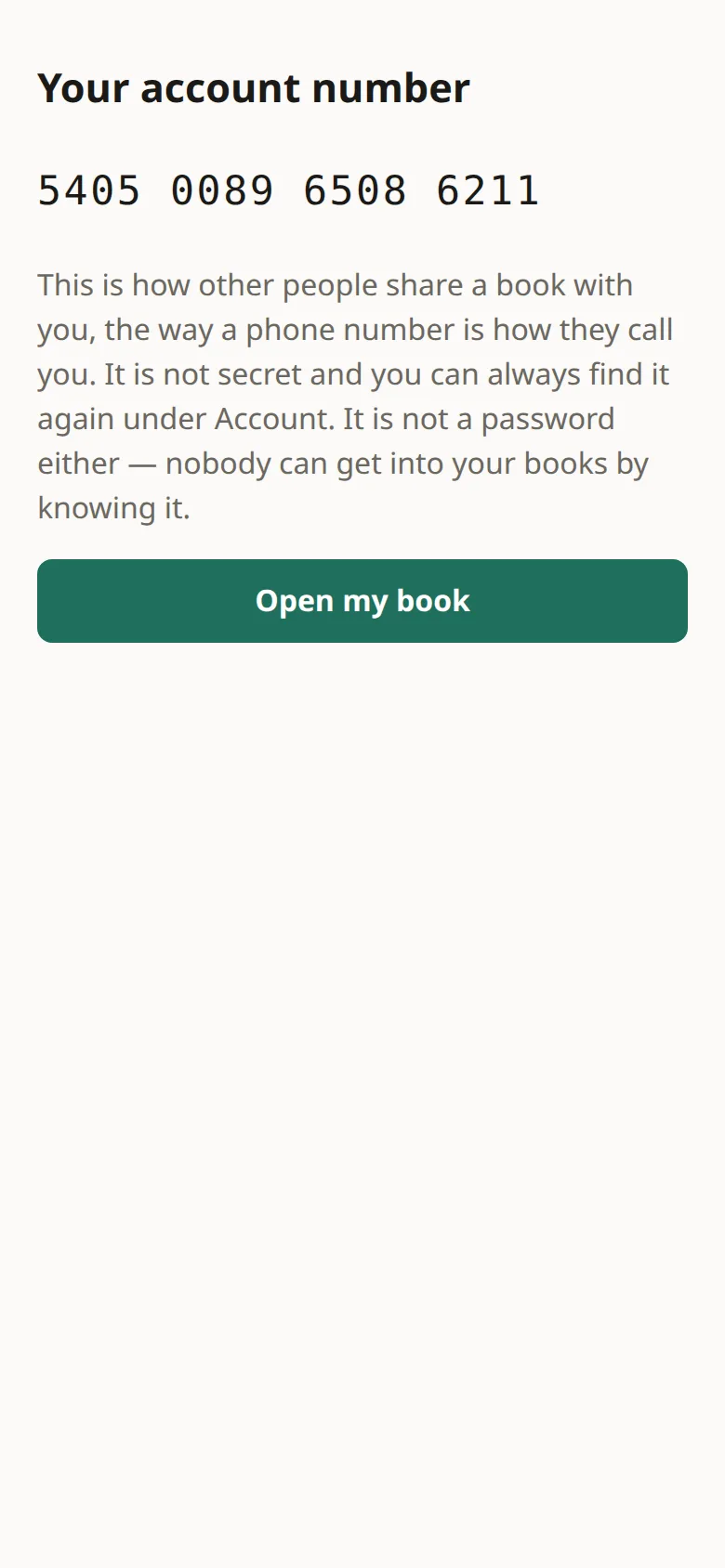
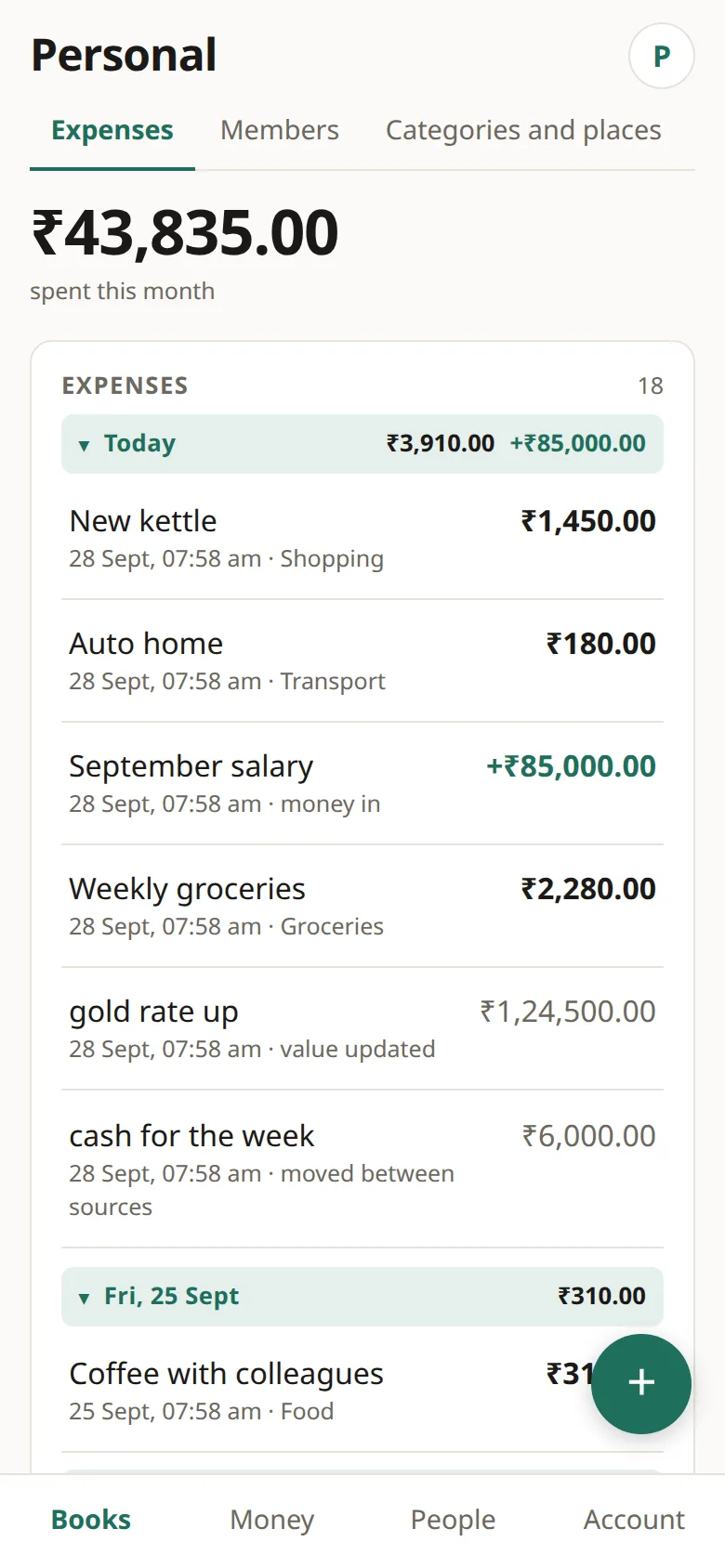
- Note your account number, then tap Open my book. A book called Personal is ready.
More than one device
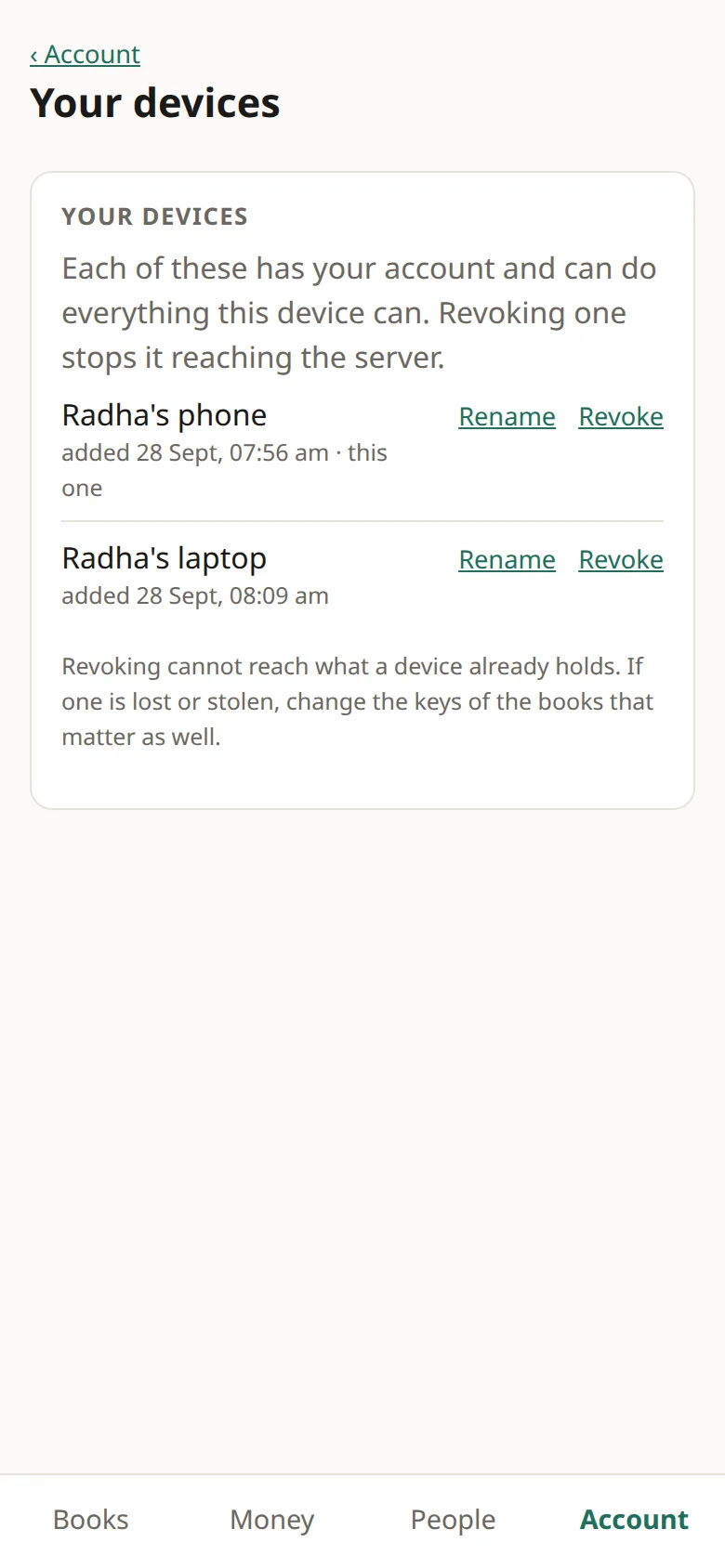
Radha adds her laptop with the twelve words. Everything she wrote on the phone is there, and what she writes on the laptop reaches the phone.
Add a laptop, then check the list
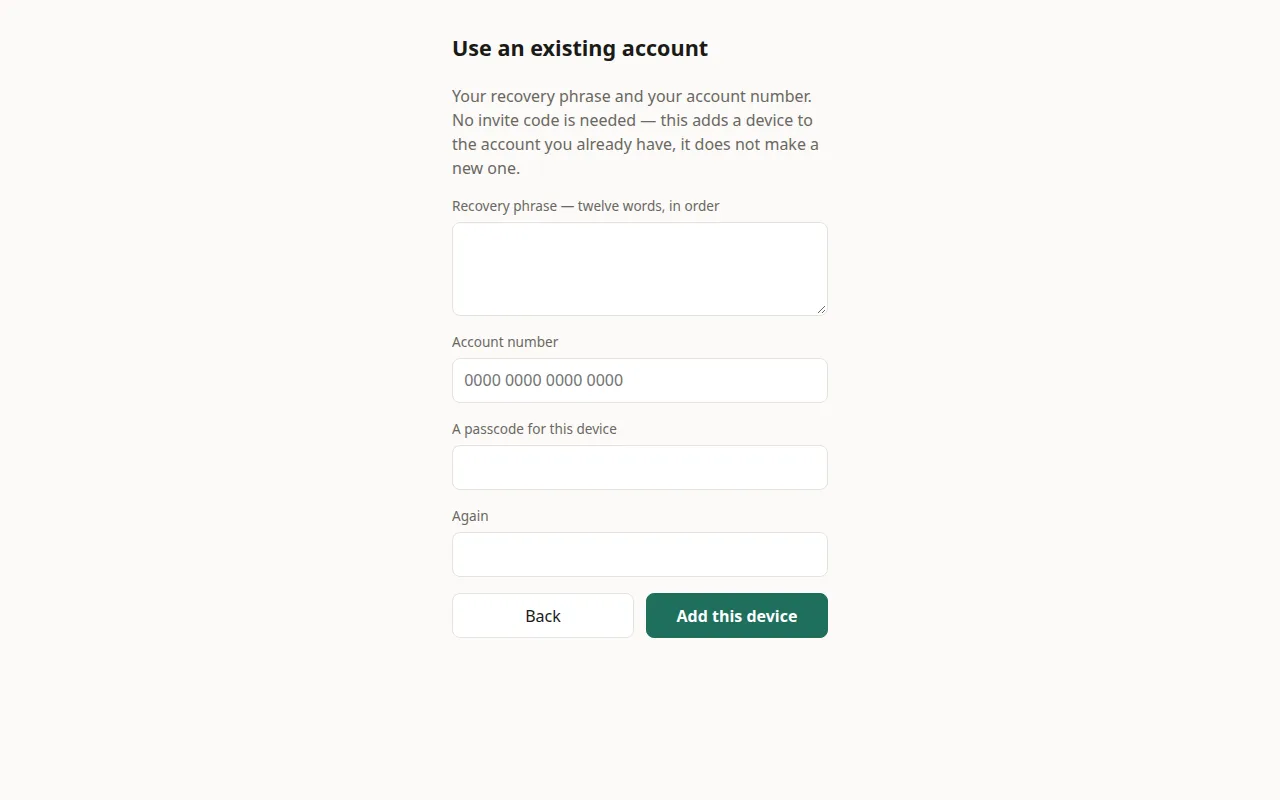
- On the new device, open the app and tap I have my recovery phrase.
- Enter the twelve words, your account number and a passcode for this device. Tap Add this device. No invite code is needed.
- Add an expense on the laptop. Open the app on the phone and it appears there.
- On either device, go to Account › Your devices to see both. Rename gives each a name you will recognise, and Revoke cuts one off.
If you have a device that is already signed in, Account › Another device brings the account across with a QR code, so you don't have to type the words.
Connecting with people
A connection is the private book between two people. It holds whatever the two of you share, and the balance between you.
Connect by number, accept, compare
- Radha: People › Connect by number. Type Aaris's account number and what to call him, then tap Connect.
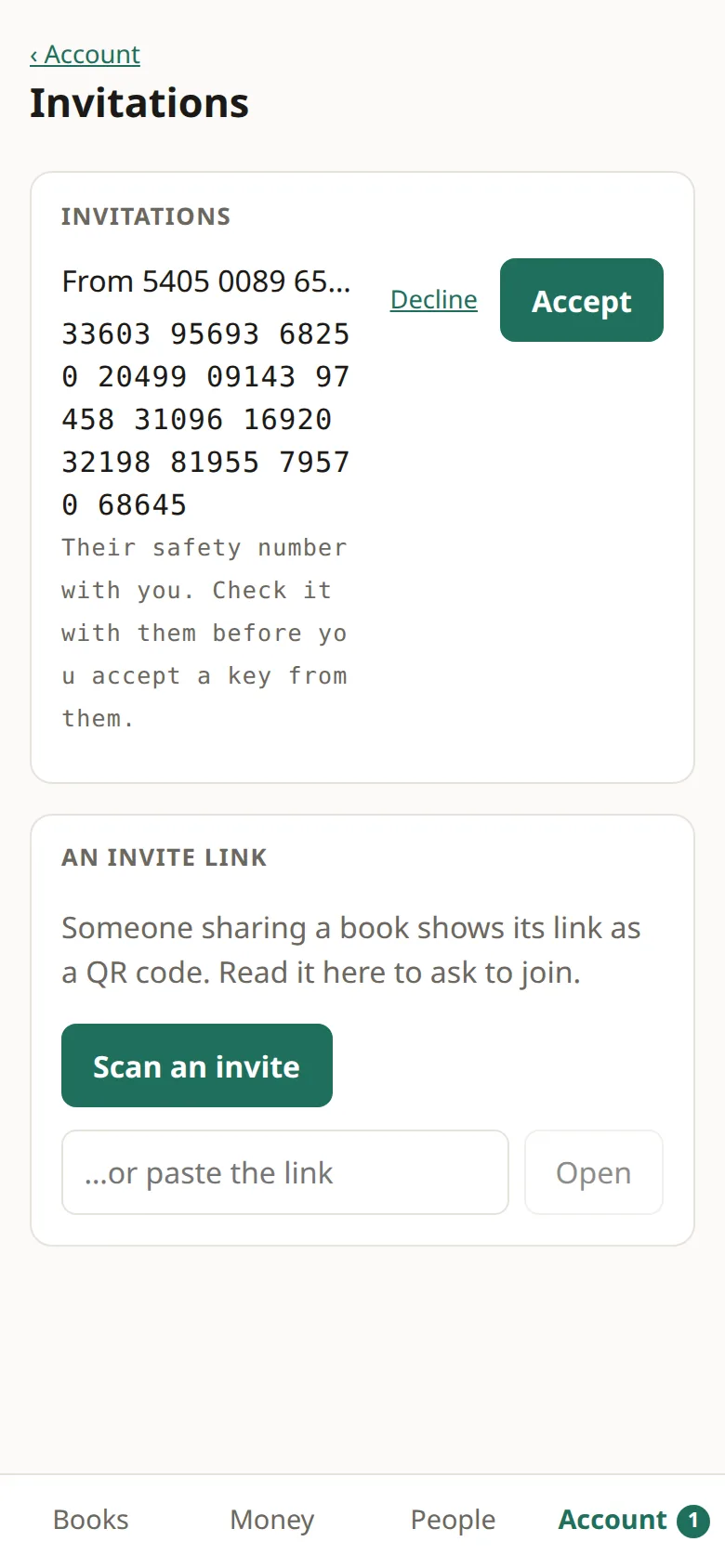
- Aaris sees a badge on Account. Under Invitations there is a safety number. If it matches the one on Radha's screen, the keys are genuine. Tap Accept.
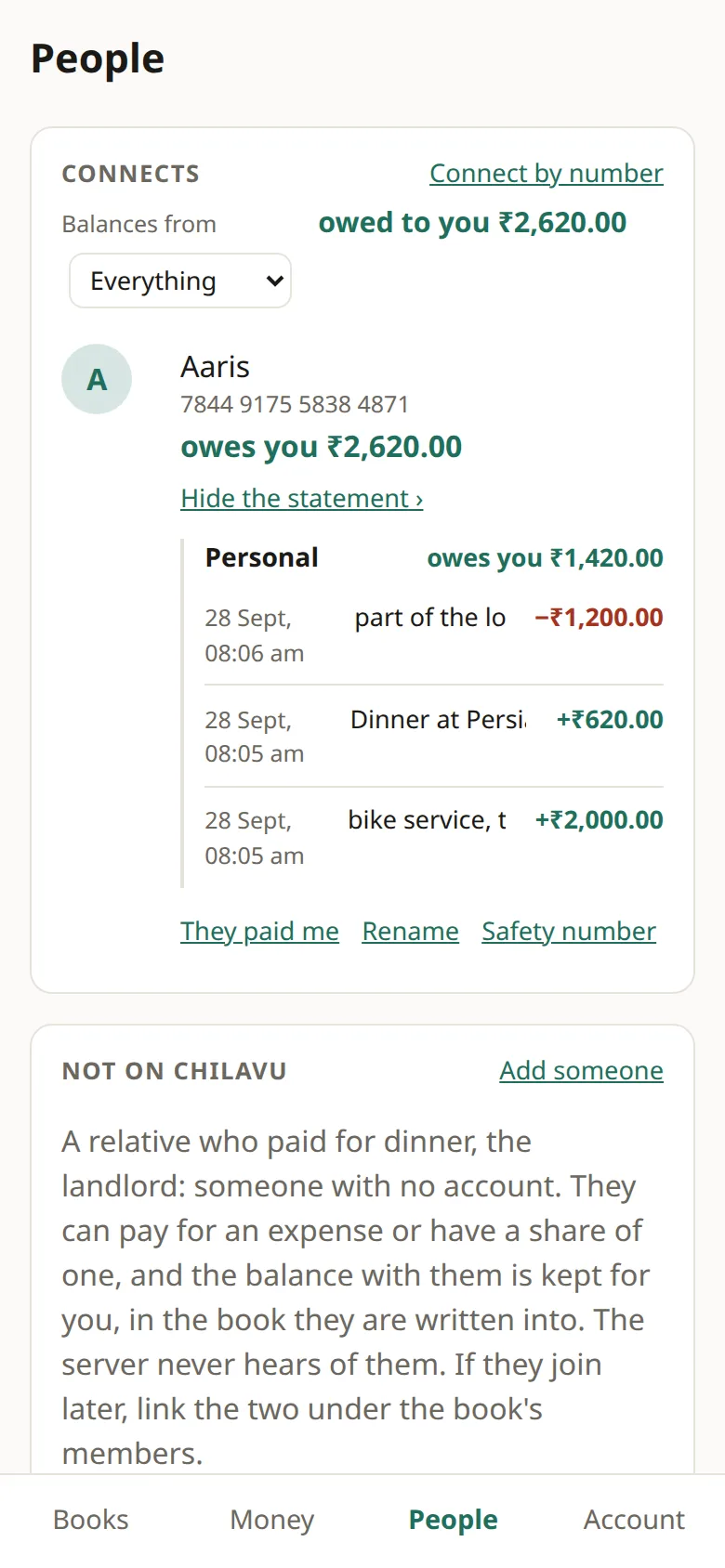
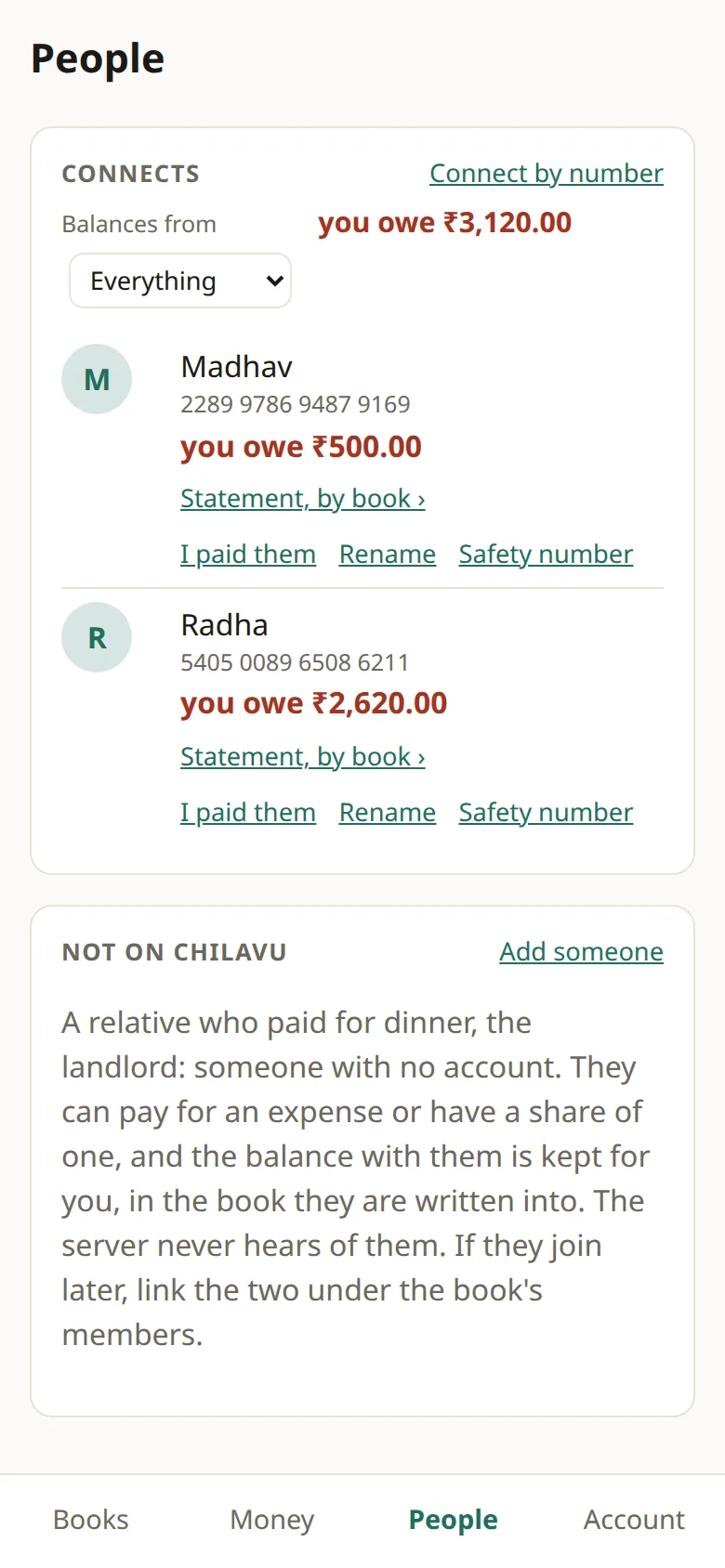
- Both now see each other under People. Statement, by book shows what makes up the balance.
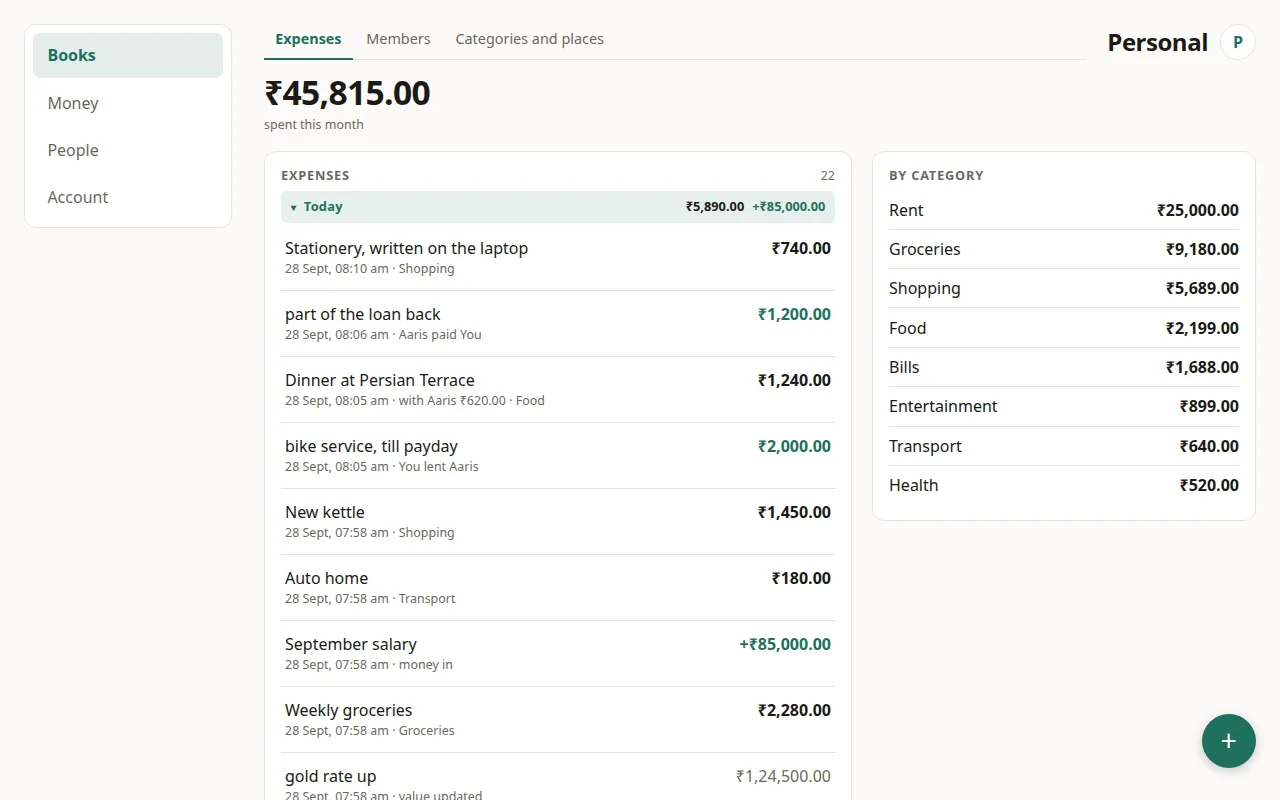
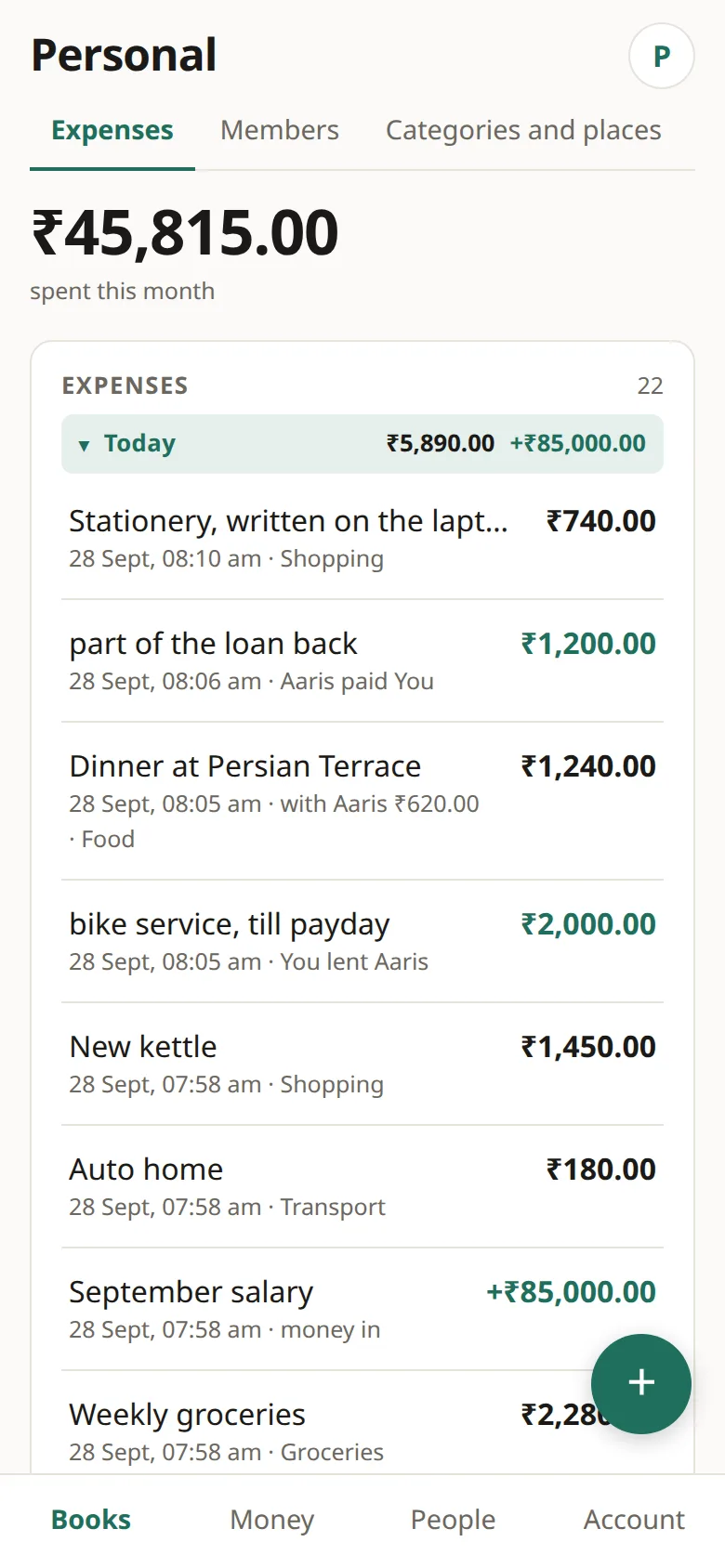
After the dinner, loan and repayment in section 3, Radha sees Aaris owes you ₹1,420 and Aaris sees you owe ₹1,420. Both phones show the same figure from opposite sides. (The pictures were taken earlier, when the figure was ₹2,620.)
Spent, lent, borrowed, paid back
The + button opens one sheet that asks what happened first. Each answer shows only the fields it needs.
Spent, and split with someone
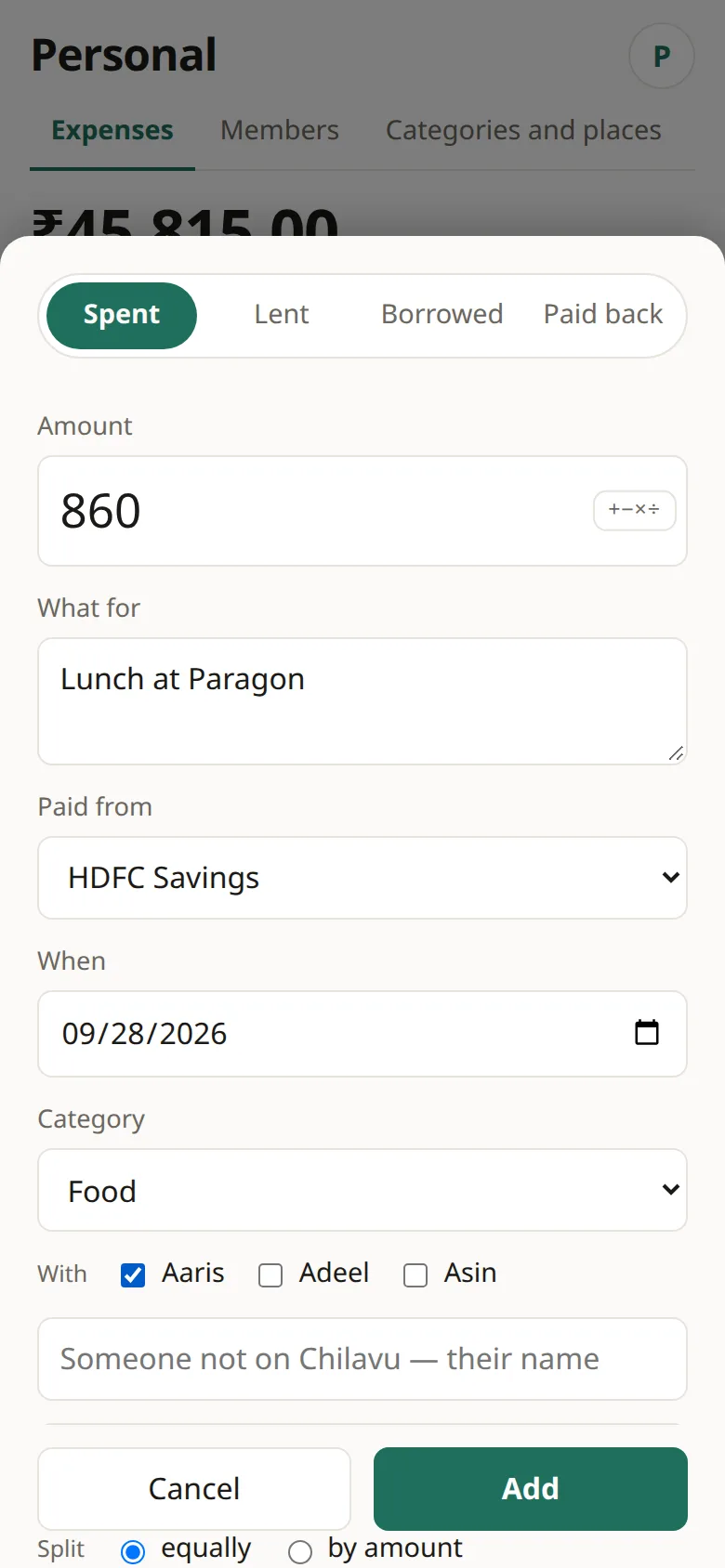
- Tap +. Spent is already chosen. Enter the amount, what it was for, a category, and which source paid.
- Tap Split it with someone and tick a person. The split is shown under the amount as you type.
- The expense stays in your own book. Aaris gets his share in the book between you, and never sees your category or which account you used.
Lent and borrowed
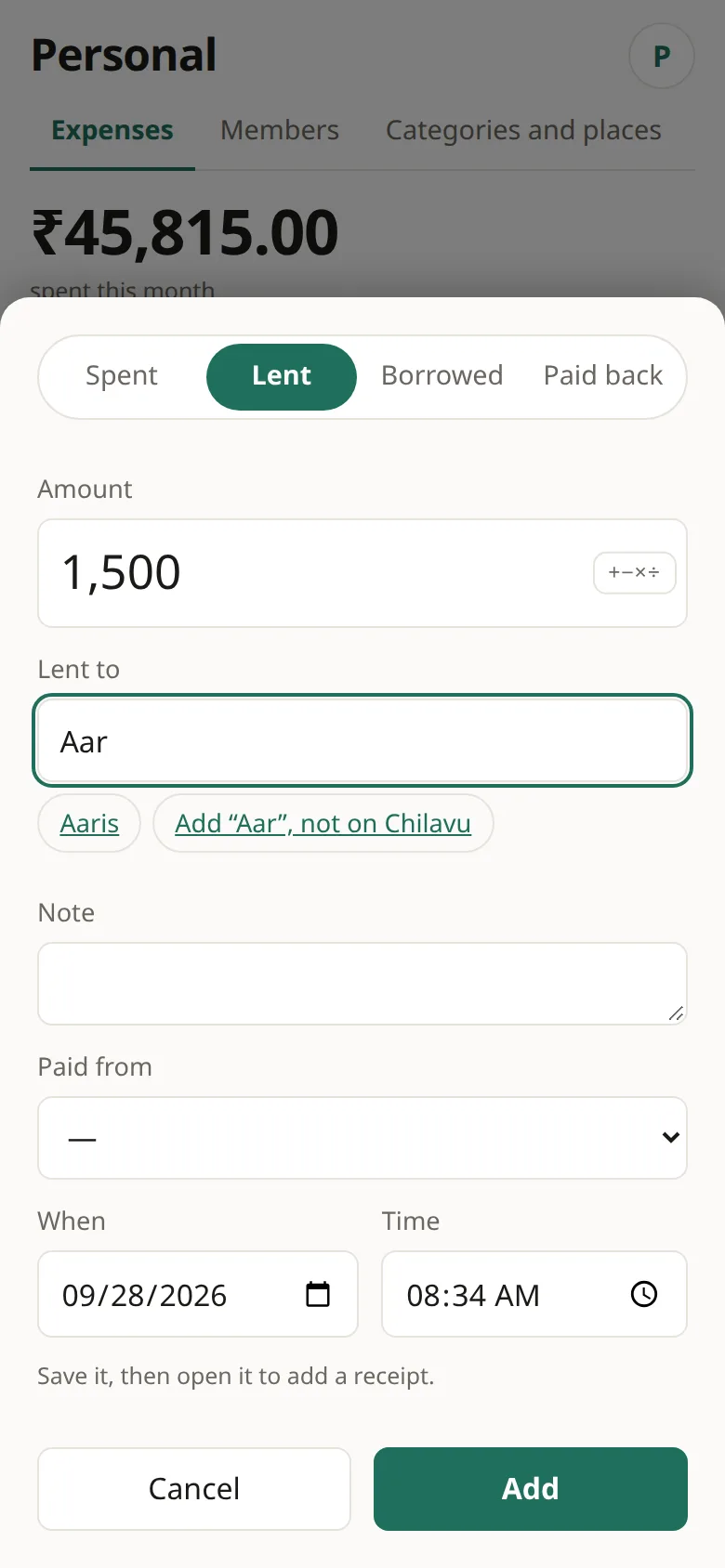
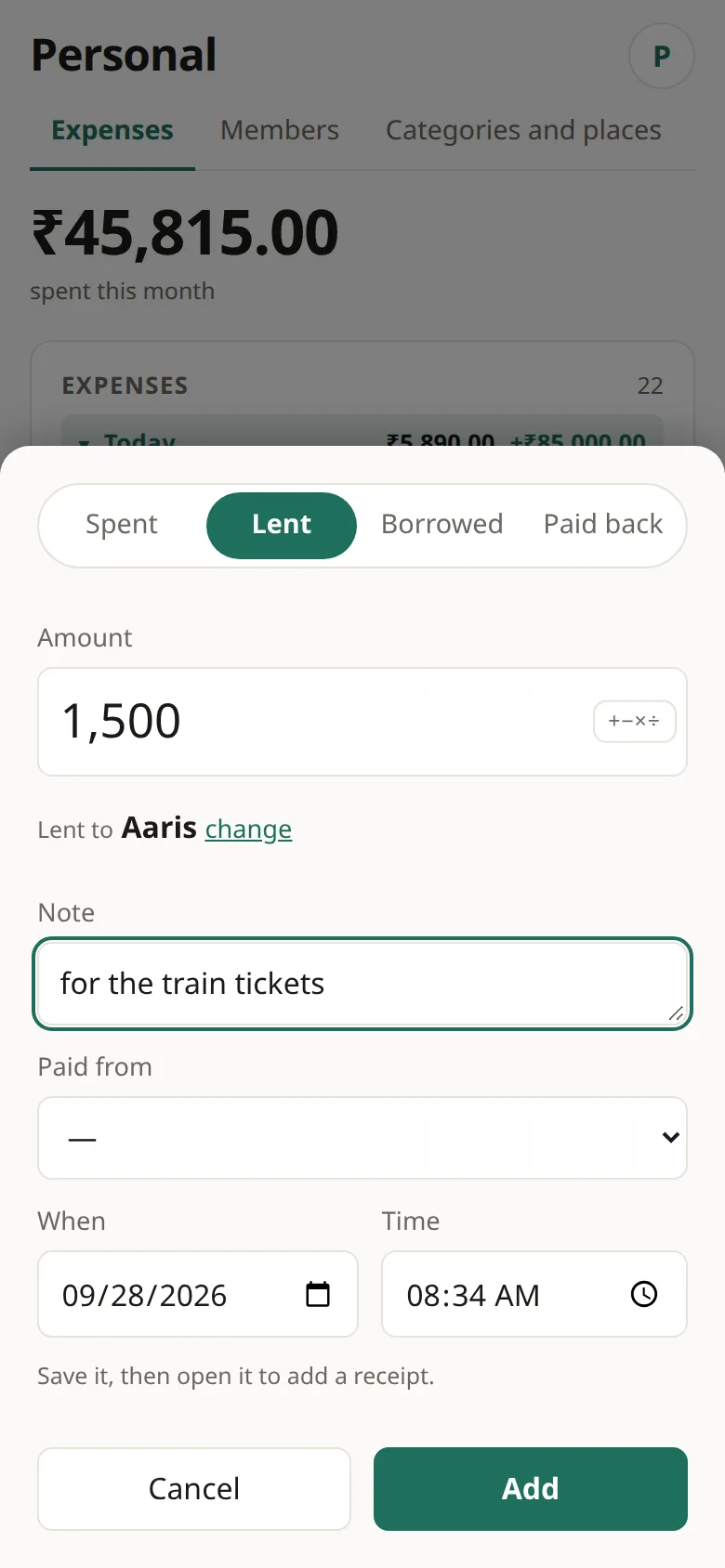
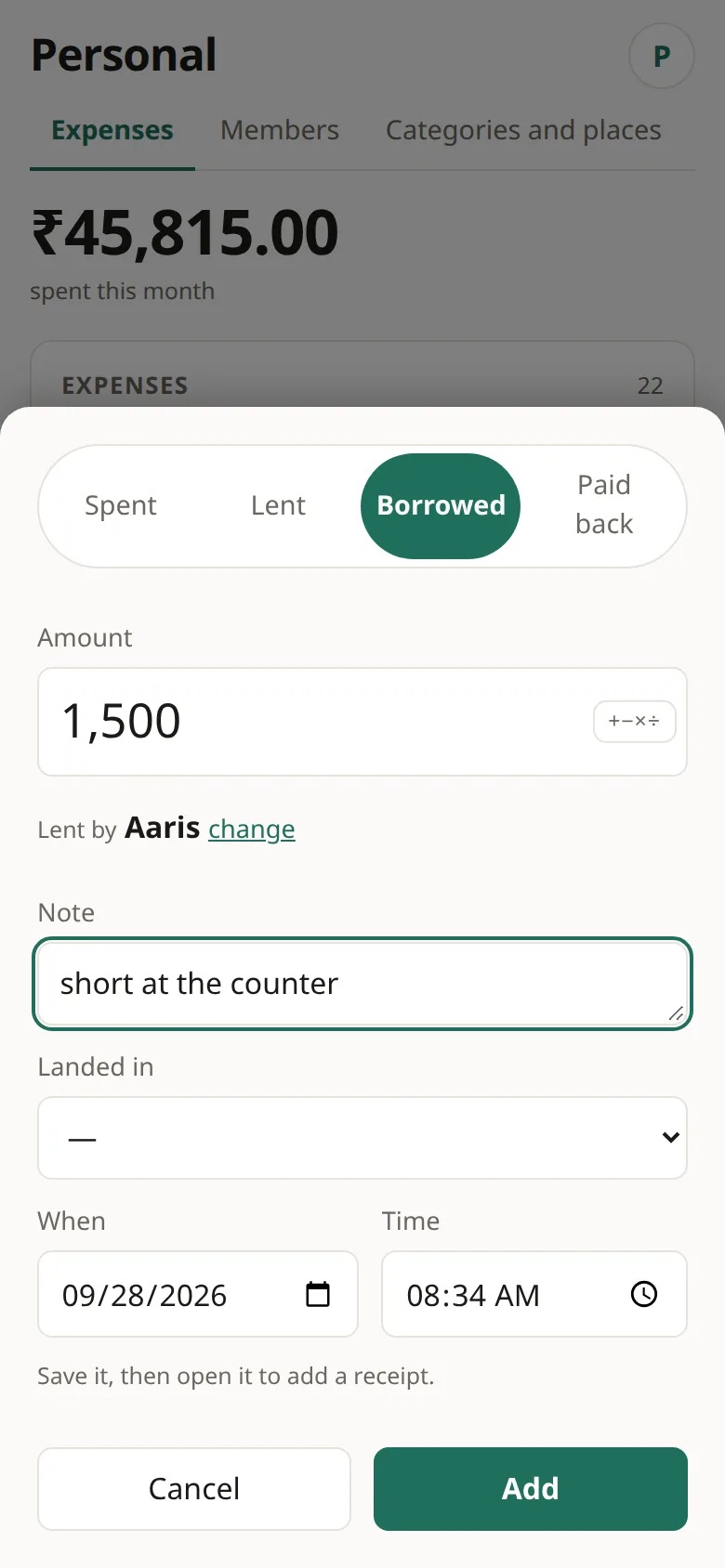
- Tap +, choose Lent or Borrowed, and start typing a name.
- Pick the person. Say where the money came from (Paid from) or where it went (Landed in) so your Money tab stays right.
- A loan isn't spending. It leaves your monthly total alone and shows up under Owed to you on the Money tab.
Paid back
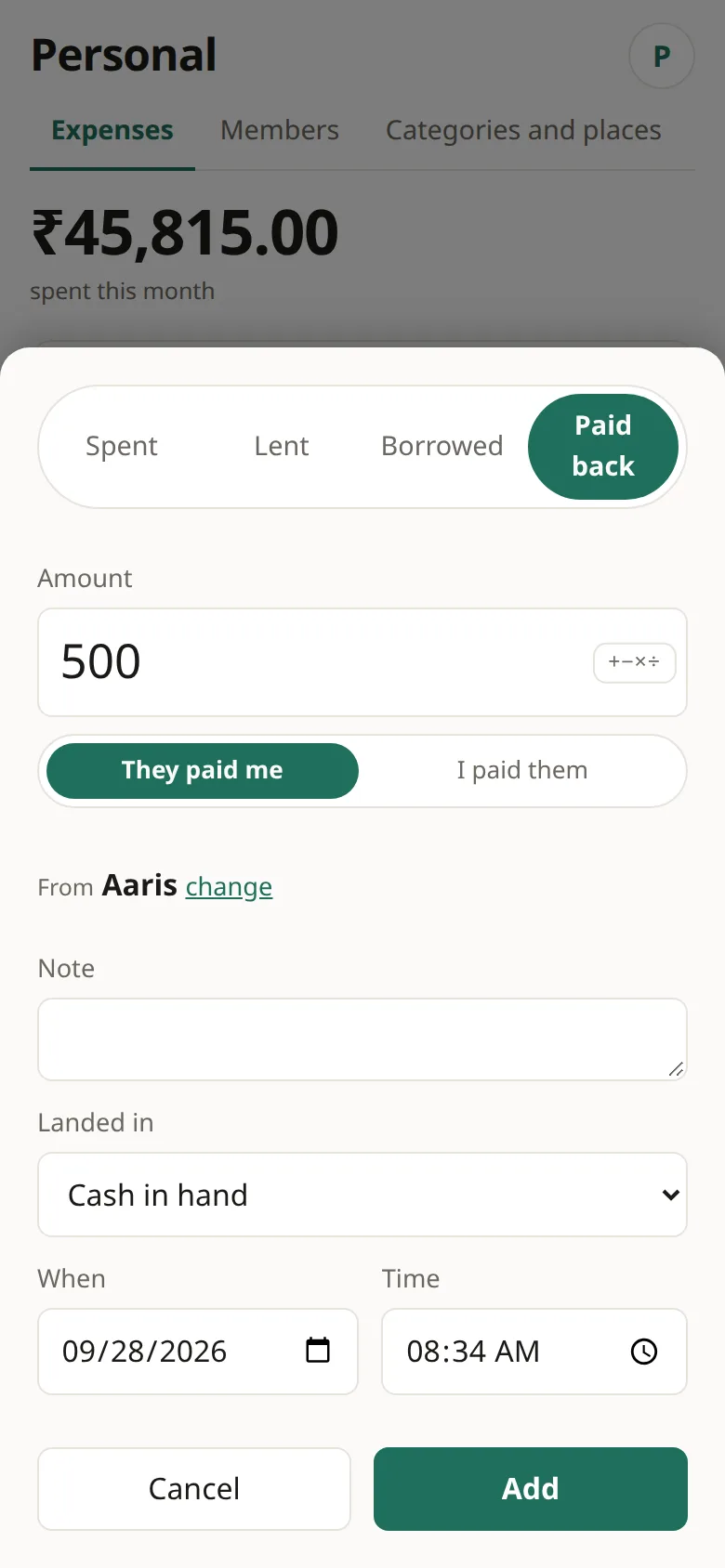
- Tap +, choose Paid back, then They paid me or I paid them.
- Or on People, tap They paid me on the person's row. The balance is filled in for you.
Radha's story: dinner at Persian Terrace, ₹1,240 split with Aaris. She lent him ₹2,000 for a bike service and he handed back ₹1,200. Aaris borrowed ₹500 from Madhav for movie tickets.
Money and statements
Sources are where your money is: cash, an account, a card, something you own. Balances are worked out from what you record, and nothing is typed in twice.
Add sources, move money, read a statement
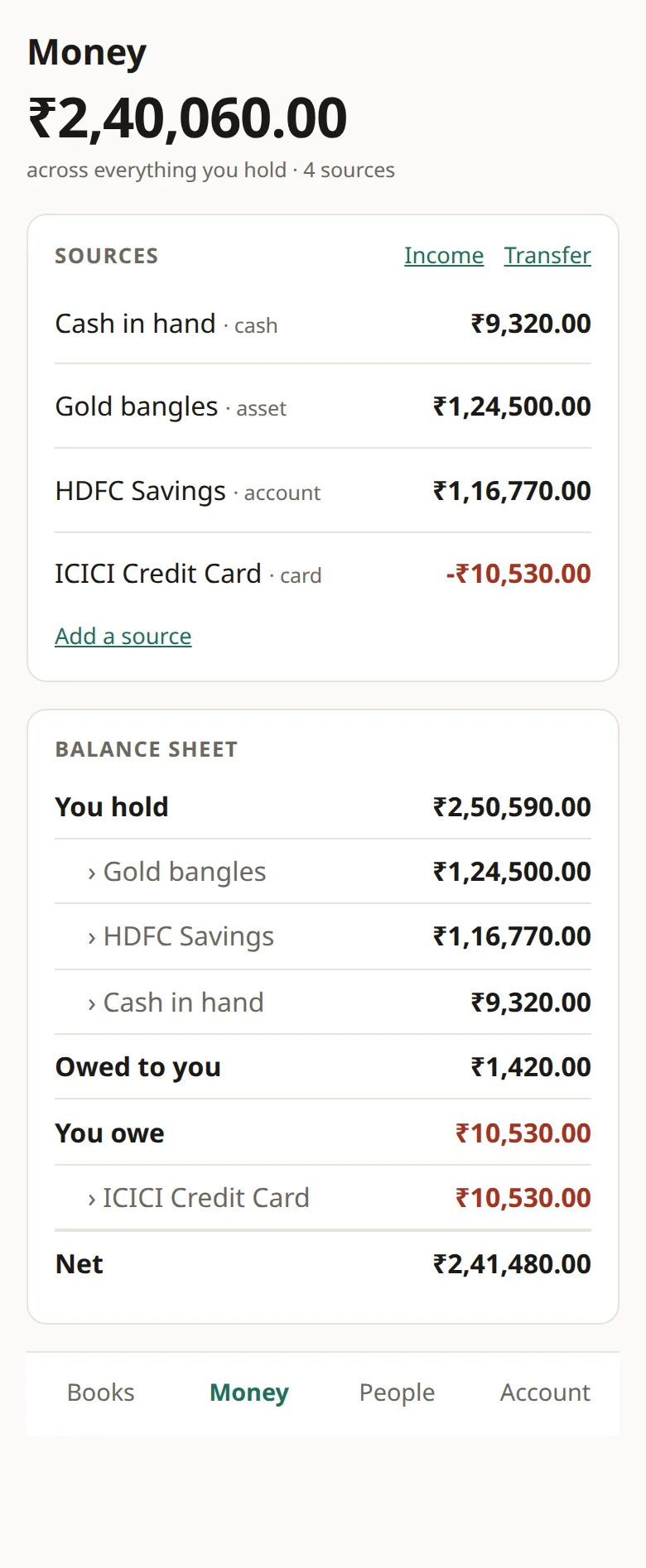
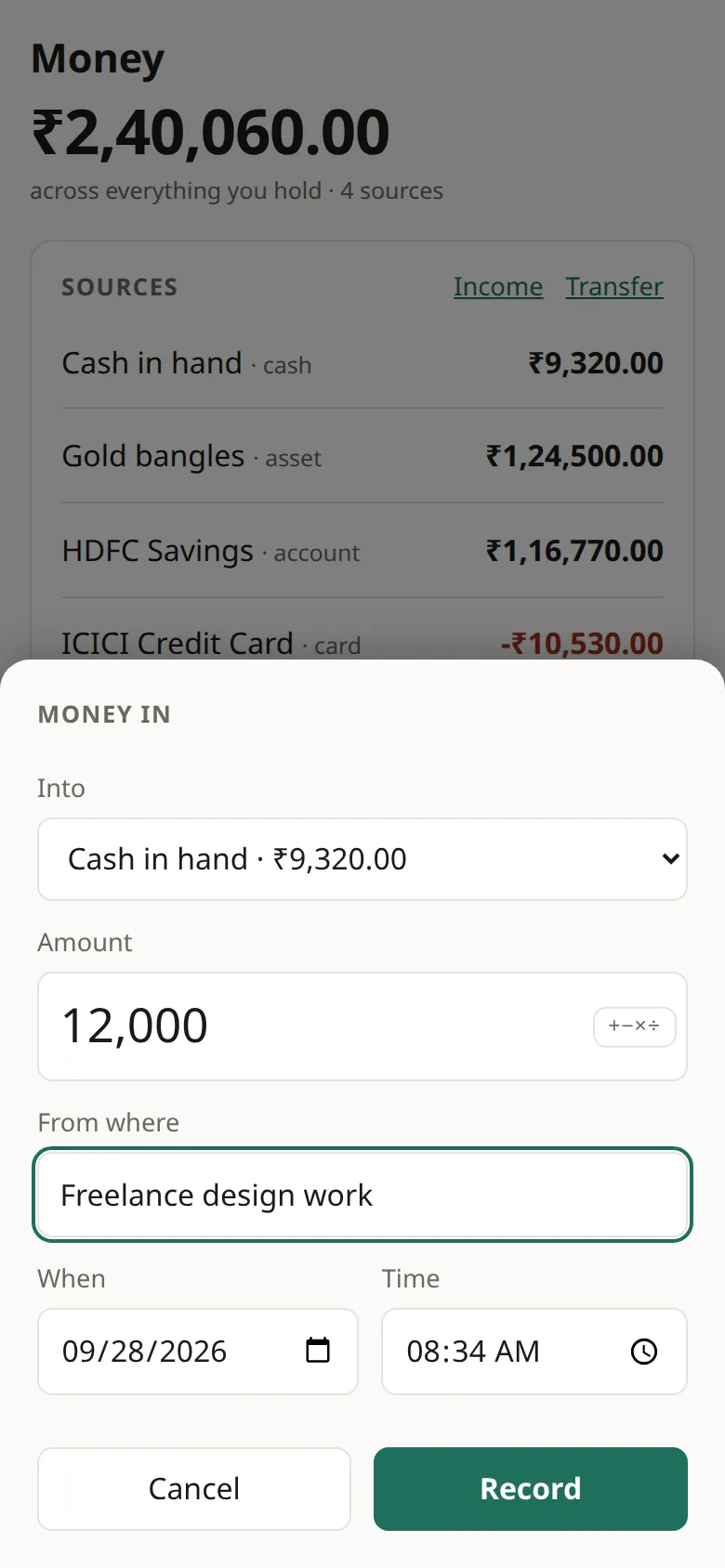
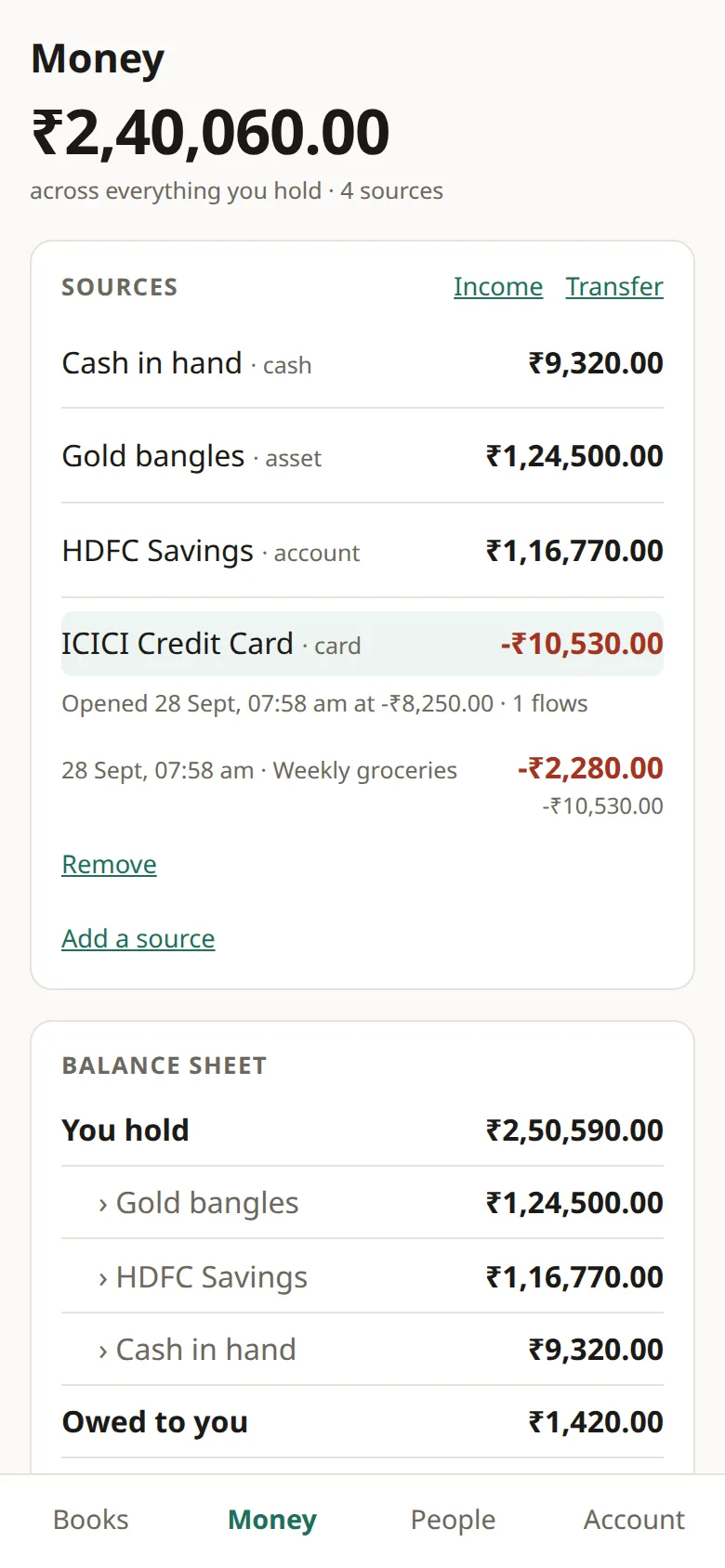
- Money › Add a source. Radha has Cash in hand (₹3,500), HDFC Savings (₹42,000), an ICICI card (−₹8,250, since money owed on a card is negative) and gold bangles as an asset (₹1,20,000).
- Income puts money into a source: her ₹85,000 salary. Transfer moves it between two: ₹6,000 from savings to cash.
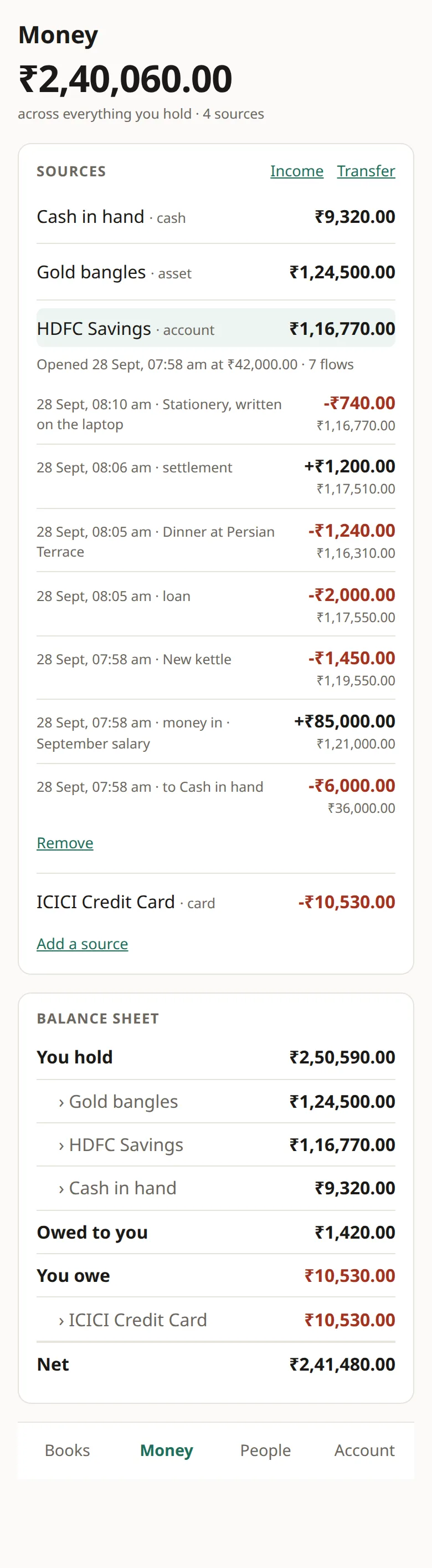
- Tap a source to open its statement. Each line shows the change and the balance after it.
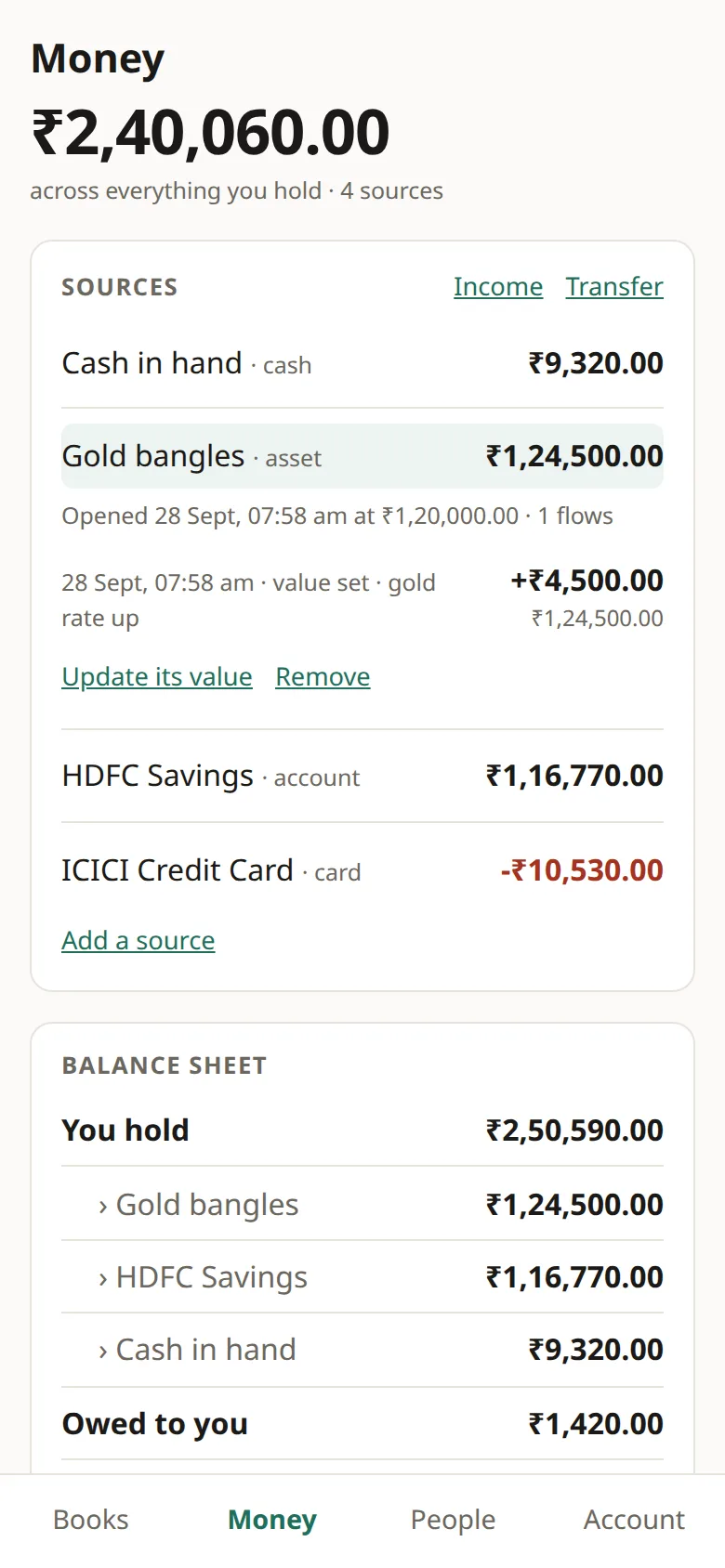
- For an asset, Update its value sets a new worth. The gold went to ₹1,24,500.
The balance sheet counts what you hold (₹2,50,590), adds what people owe you (₹1,420), and takes off the card (₹10,530), for a net of ₹2,41,480. The savings statement runs from ₹42,000 to ₹1,16,770 over seven lines: the transfer, salary, kettle, loan, dinner, the money back, and stationery bought on the laptop.
More books: split groups and pots
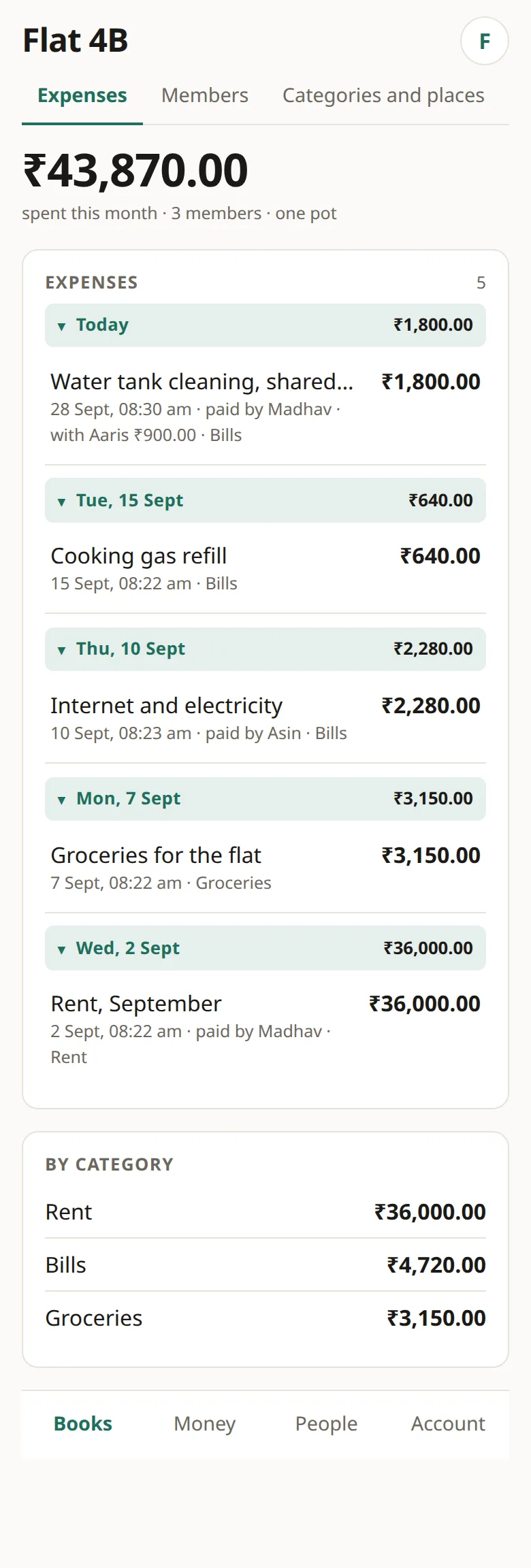
A book is shared by everyone in it. When you make one you choose how it behaves. A group that splits keeps track of who owes whom, which suits a trip. A pot is one purse with no debts inside it, which suits a household.
Make a book and invite people
- Account › Books › New book. Name it and choose its kind.
- Open the book, go to Members, and invite by account number. Make an invite link gives a QR code instead.
- Each person accepts under Account › Invitations. Switch books with the round button at the top right.
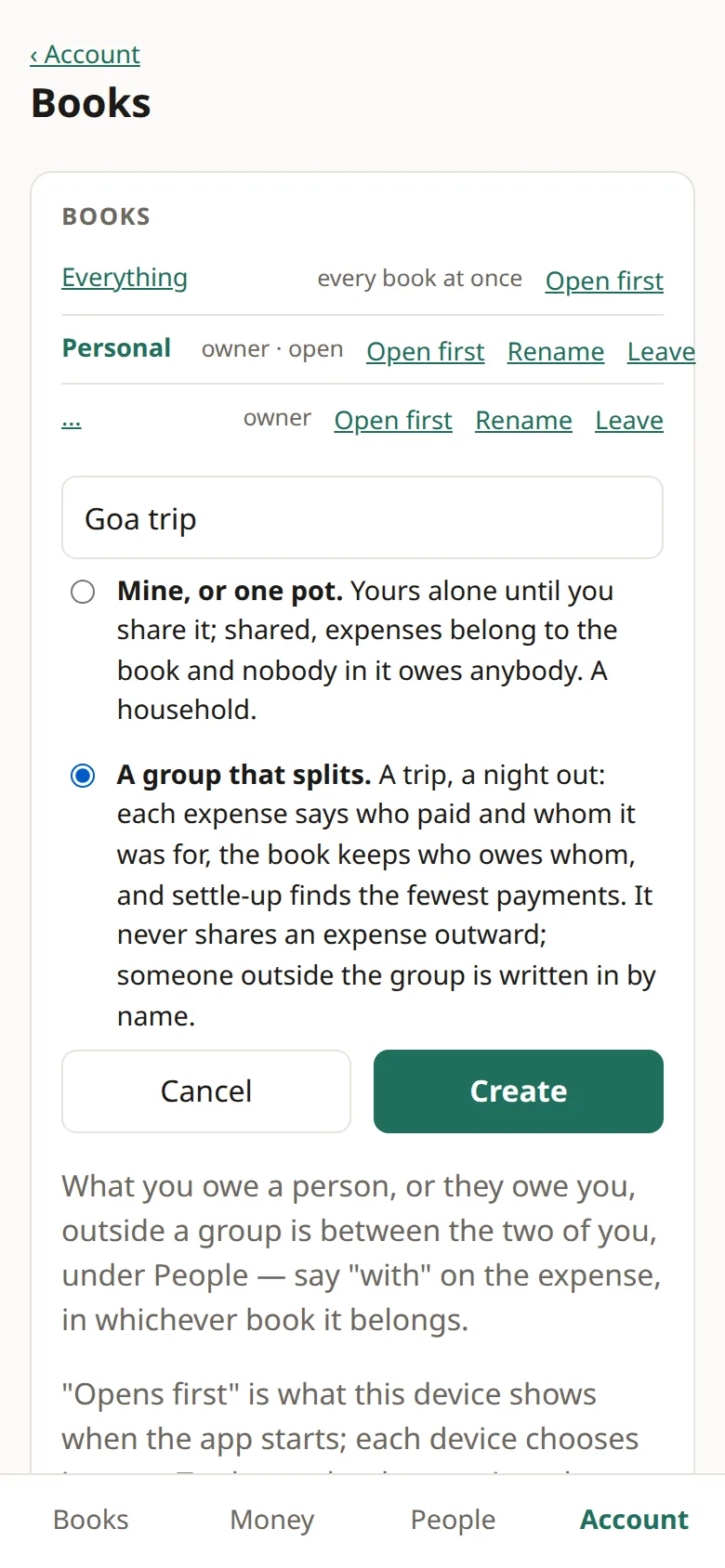
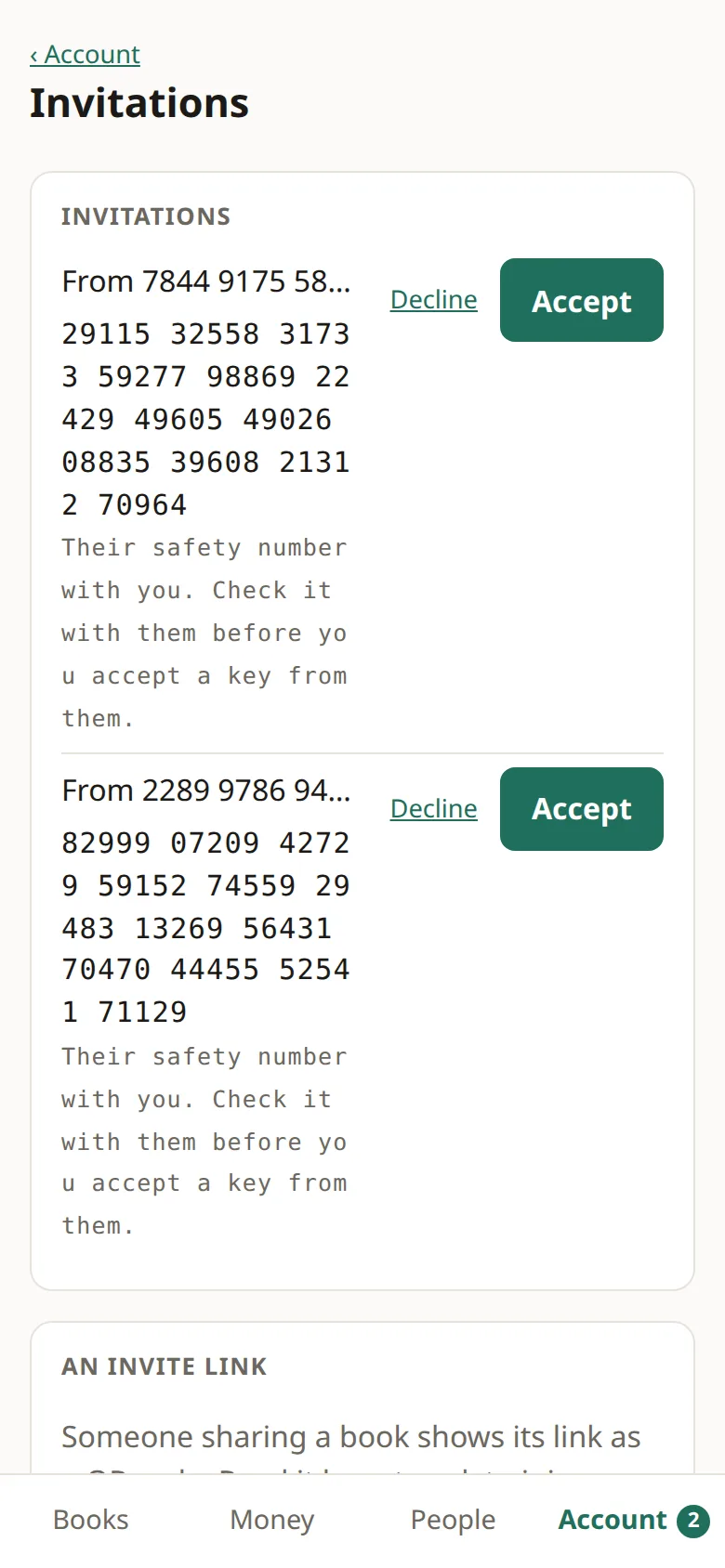
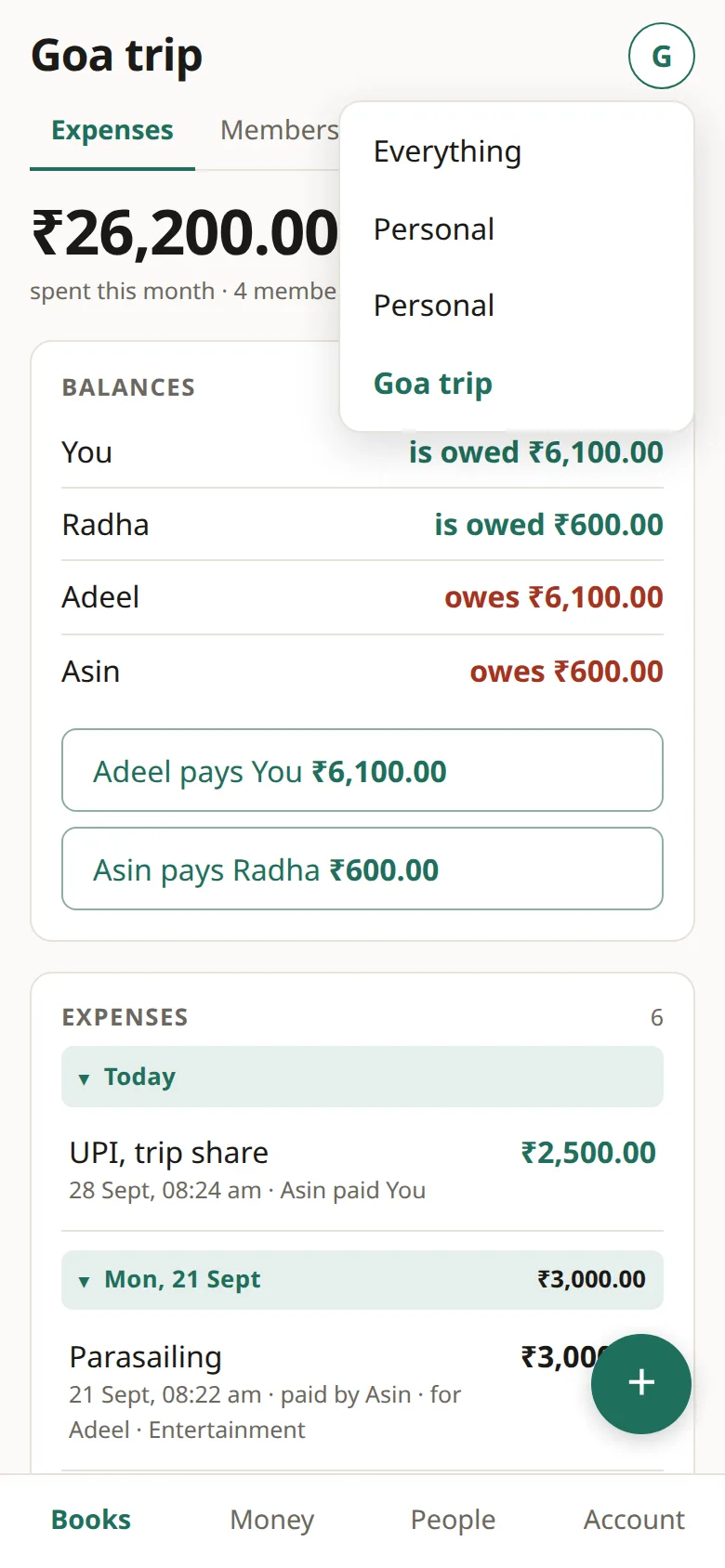
Goa trip: a group that splits
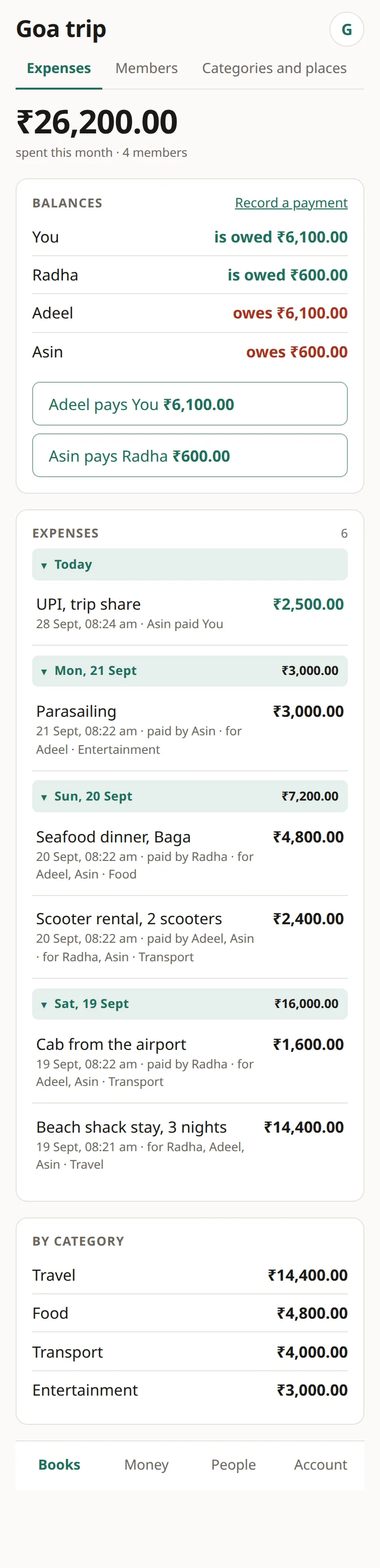
- Each person adds what they paid. For lists everyone, so untick anyone it wasn't for.
- When two people paid one bill, tick more than one paid and enter each person's part.
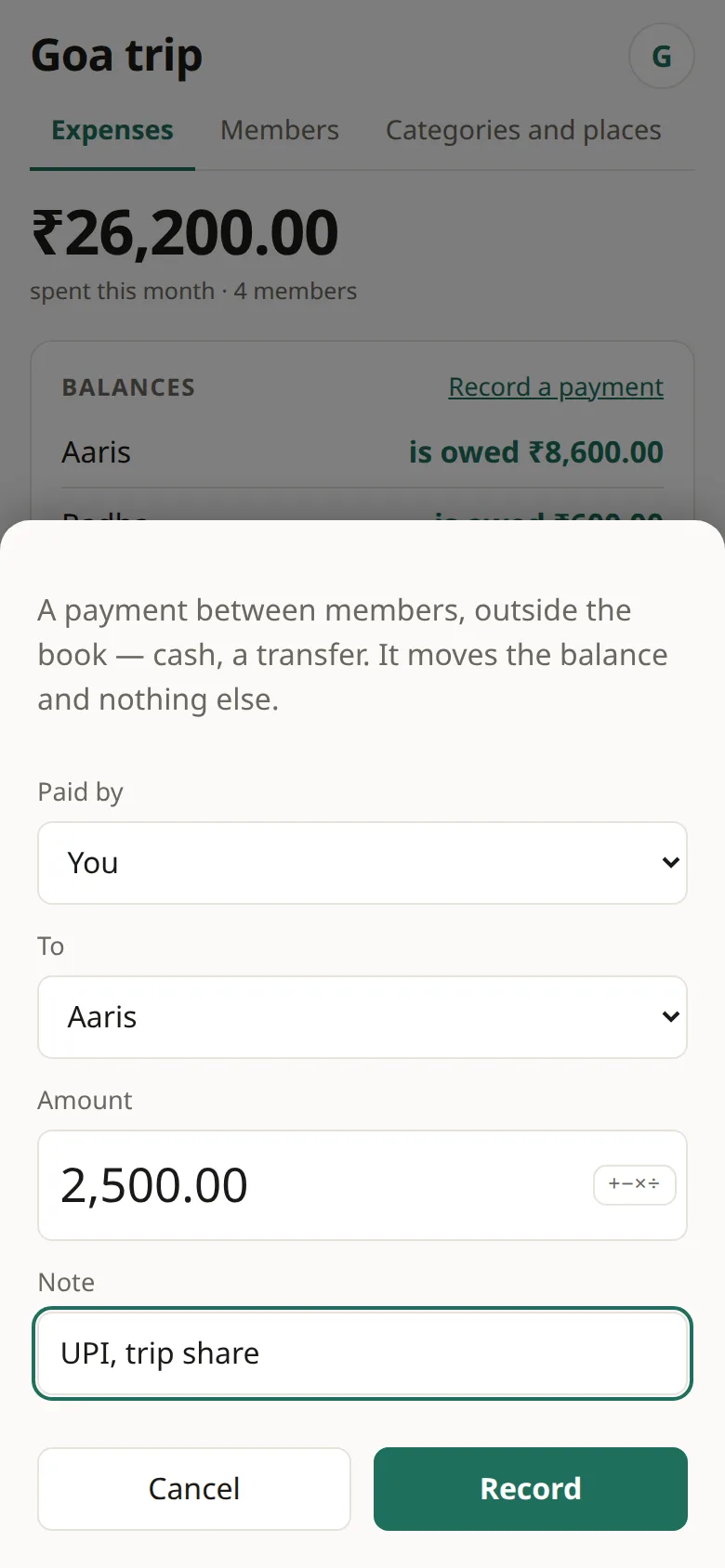
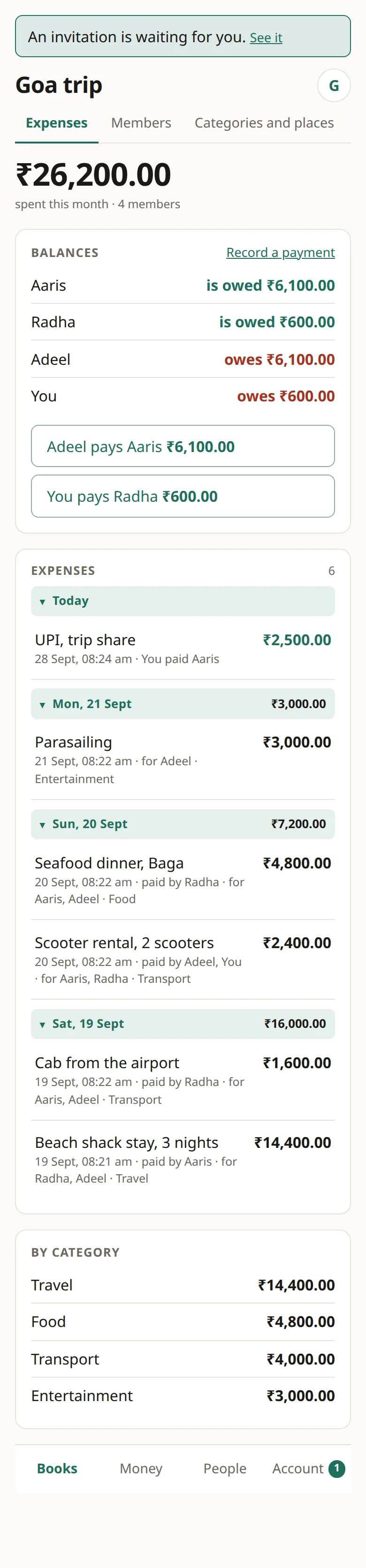
- The Balances card suggests the fewest payments. Tap one to record it.
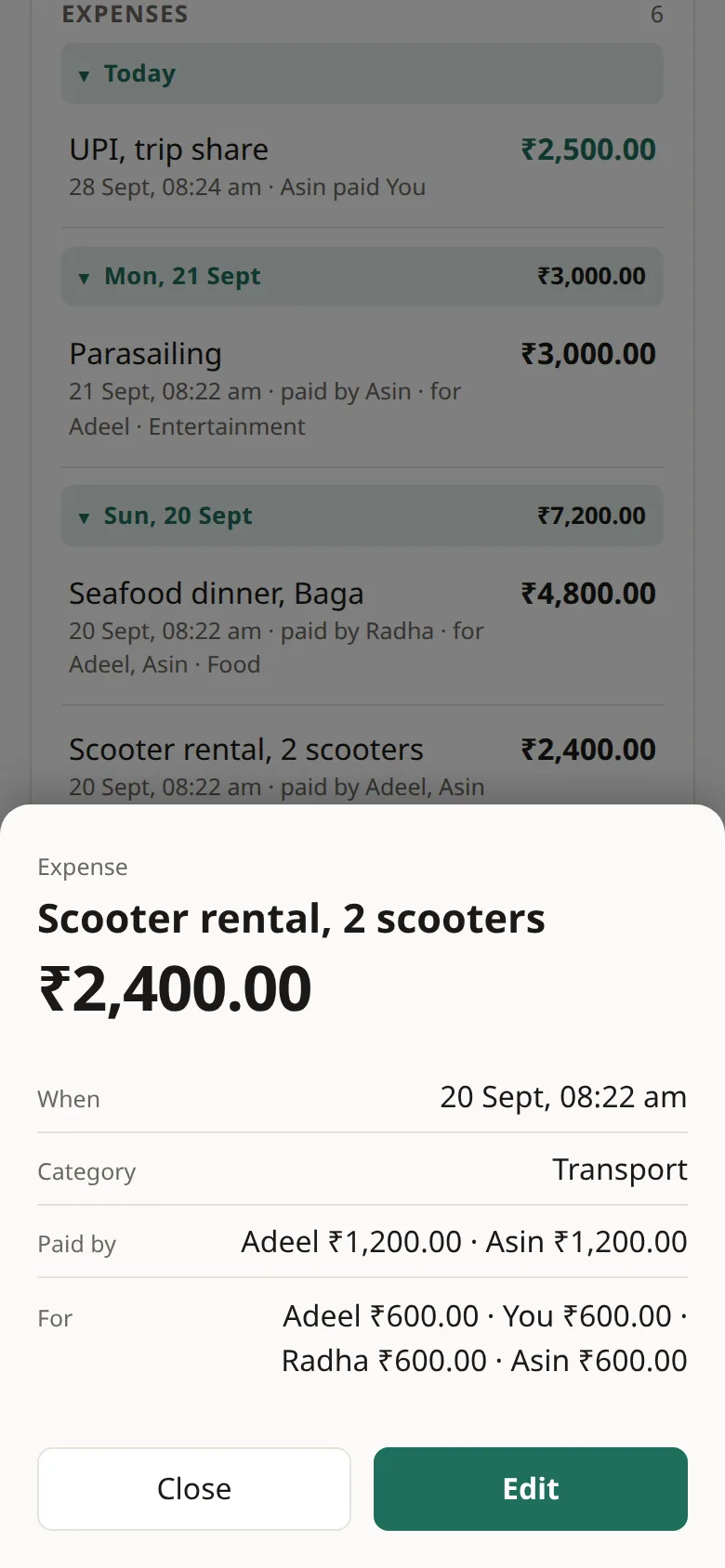
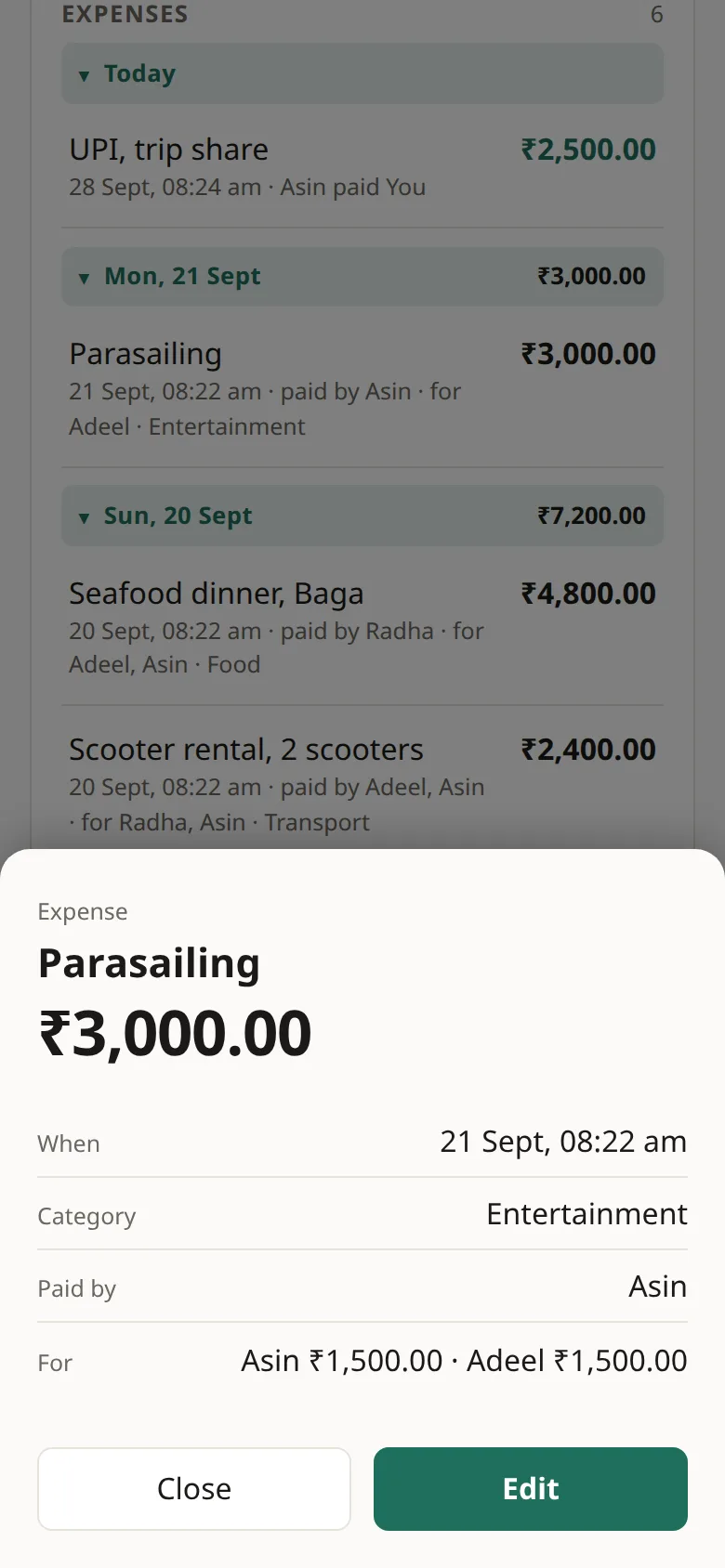
The stay (₹14,400, Aaris), the cab (₹1,600) and dinner (₹4,800, both Radha), and scooters (₹2,400, Adeel and Asin half each) were for all four. Parasailing (₹3,000, Asin) was for Asin and Adeel. So Aaris is owed ₹8,600, Radha ₹600, and Adeel owes ₹6,100. Asin owed ₹3,100, paid Aaris ₹2,500 by UPI, and now owes Radha ₹600.
Flat 4B: a pot
- Madhav makes Flat 4B as Mine, or one pot and invites Adeel and Asin.
- Whoever pays adds the expense. Nobody owes anybody inside a pot, so it has no Balances card.
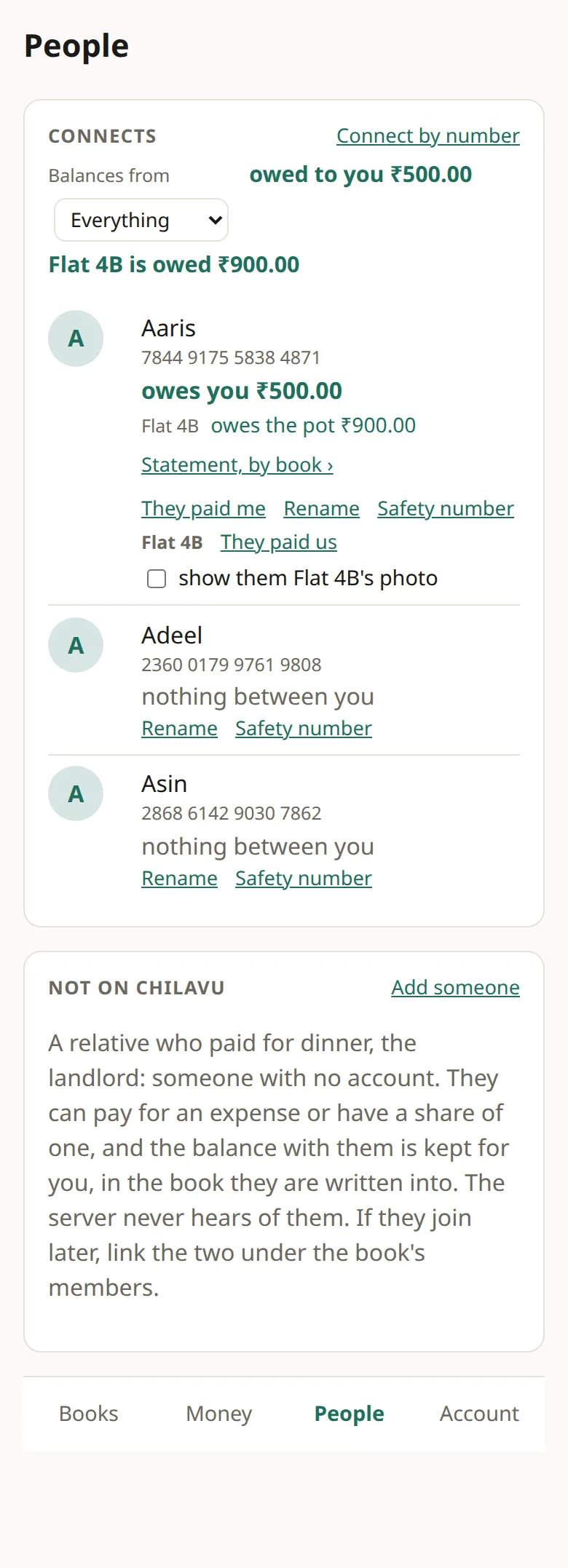
- To share a cost with someone outside the pot, use Split it with someone as usual. The pot then keeps a balance with that person, separate from anyone's own.
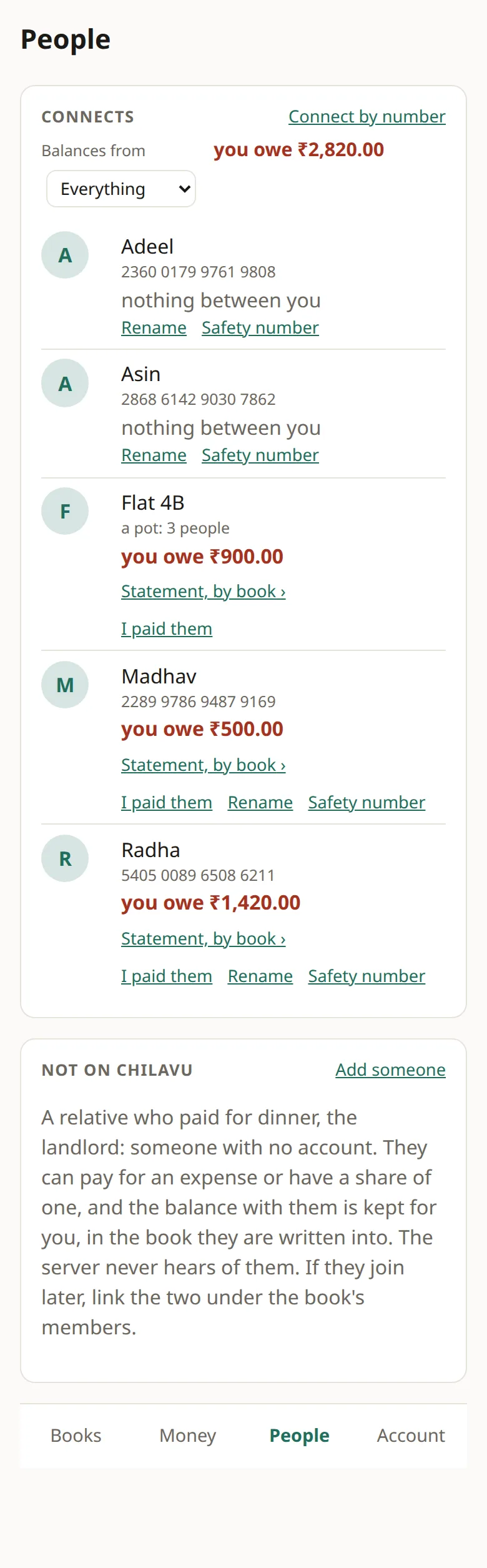
Rent ₹36,000, groceries ₹3,150, gas ₹640 and internet ₹2,280 are the flat's. The ₹1,800 water-tank cleaning was split with Aaris next door, so Aaris owes the pot ₹900. Madhav sees that on Aaris's row as the pot's figure, apart from the ₹500 Aaris owes him personally.